
What a Technical SEO Audit Includes, and What to Fix First

Technical SEO can sound like a list of tools and acronyms. For a founder or marketing lead the question is simpler: can search engines reach, read and index the pages that matter, and can people use those pages without friction?
A technical SEO audit answers that question for your site. This guide explains what an audit should check, what a useful report looks like and how to rank the fixes. Every site is different, so treat it as a map of where to look, not a promise of what you will find.
Quick Answer: What Does a Technical SEO Audit Include?
A technical SEO audit is a full crawl of the site, read next to your Search Console and analytics data. It checks six areas: crawling and indexing, site structure and internal links, redirects and canonicals, speed and mobile experience, structured data, and page signals such as titles and headings. The output should be a short fix list ranked by business impact and effort, with the affected URLs named, not a 200-line export.
At Align, a stand-alone audit is scoped and quoted on its own, depending on the size of the site and whether we also ship the fixes. Monthly SEO, from $1,000 a month, includes technical work. If you want to know what an audit of your site would cover, send Align the address.
Start With Access and Context
An audit is sharper when the auditor knows what the company sells, which pages bring leads, which markets matter and what changed recently. Useful inputs:
- Google Search Console and analytics access
- A list of the pages that matter most to sales
- The current XML sitemap
- Any recent redesign, migration or platform change
- Known constraints in the CMS or hosting
Grant only the access the work needs. Without Search Console or analytics, an audit can still find technical problems, but it is harder to say which ones cost you money. A good auditor separates what the data shows from what they assume.

Read the crawl next to Search Console and analytics. A crawl alone does not say which problems cost you traffic.
The Six Areas a Technical SEO Audit Should Check
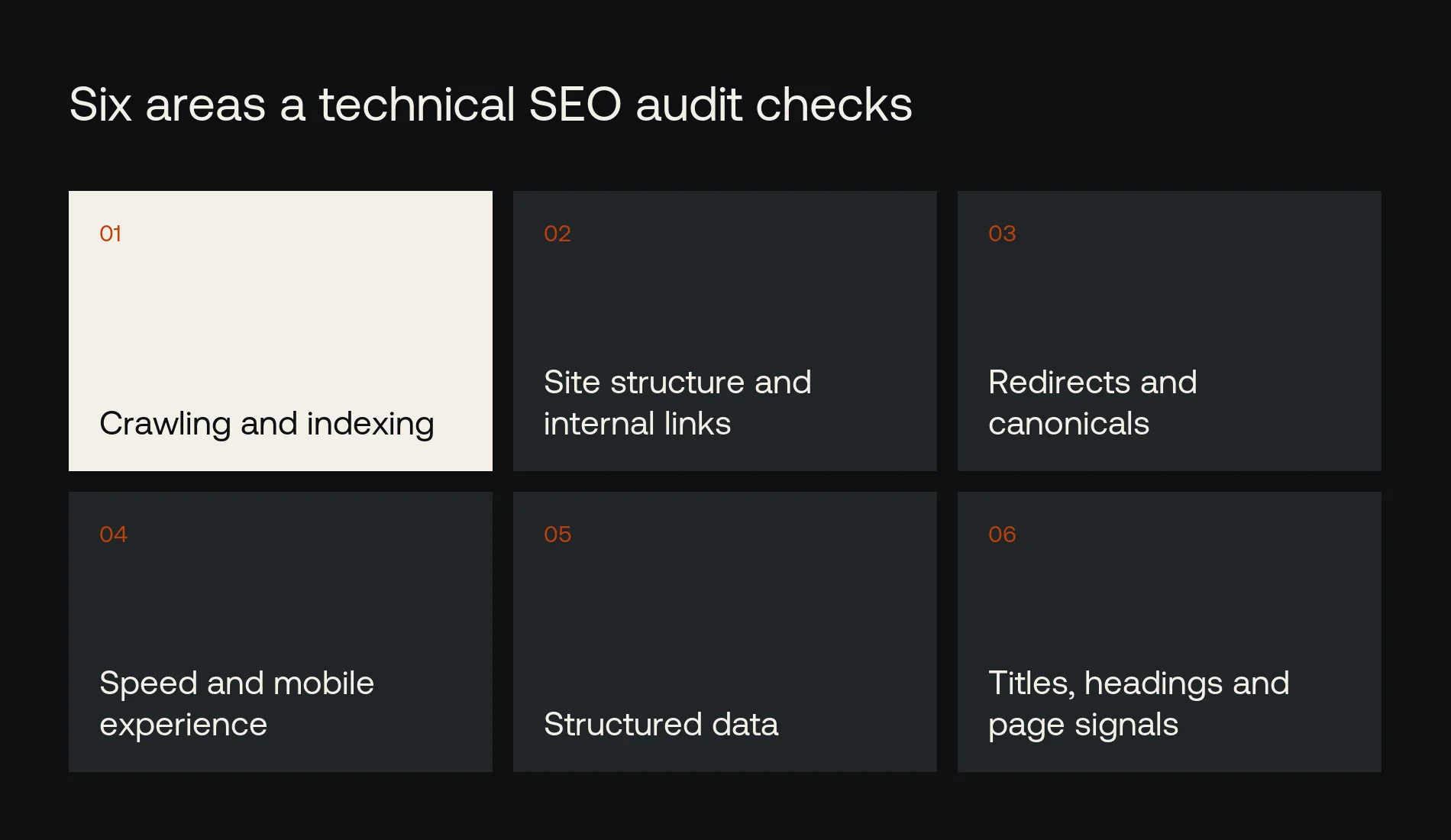
Six areas, one crawl. The report should rank what it finds by business impact and effort.
1. Crawling and indexing
Search engines have to find the important pages and be allowed to process them. The audit checks internal links, the XML sitemap, robots rules, server responses and noindex tags. A page can look fine to a visitor and still be invisible to Google because of a stray directive, a broken template or a rendering problem.
The goal is not to get every URL indexed. Thin utility pages, duplicates and internal search results may be better left out. The audit should say which pages should be indexed and why.
2. Site structure and internal links
Navigation and internal links tell search engines how pages relate. A service page five clicks deep gets less attention, from Google and from buyers. The audit should find important pages with few internal links, orphan pages and navigation that follows your org chart instead of how customers think.
Data Society had this problem. Visitors came for one of two services, but a cluttered menu buried both. Align rebuilt the structure around the two offers, which helped search engines and buyers find them in the same move.

Data Society: a menu rebuilt around the two offers visitors came for.
3. Redirects and canonicals
Redirects tell browsers and crawlers where a page has moved. Canonical tags name the preferred version when similar pages exist. Redirect chains, loops and blanket redirects to the homepage hide what happened to a page and waste the signals it had earned.
During a migration, every valuable old URL should go to its closest new match. Google's guidance on site moves with URL changes covers the planning and monitoring. When we rebuilt align.vn, the redirect map held 654 old addresses, each one checked after launch.
4. Speed and mobile experience
Speed decides whether people can read, tap and finish what they came to do. The audit should look at loading, responsiveness and visual stability with both lab and field data, using Core Web Vitals. Google ranks the mobile version of a site, so test on a phone first.
Do not chase a score on its own. A fast page that hides the information a buyer needs has not solved anything. Tie speed work to real journeys: opening a service page on a phone, sending a form, moving from a case study to the right service.
5. Structured data
Structured data describes a page to search engines when it matches what the page shows. It does not guarantee a rich result or a higher ranking. The audit should check which schema types fit, whether the values match the visible content and whether there are errors or conflicts.
6. Titles, headings and other page signals
Titles, meta descriptions, headings and language tags should be accurate, unique where they need to be and consistent with the content. This is where technical and on-page work meet. The tags should help search engines read the page without claiming anything the page does not say.
How to Rank Technical SEO Fixes
An audit can turn up hundreds of observations. Your team needs a short sequence. Rank each issue by the pages it affects, how important those pages are, how severe it is, how much effort the fix takes and how confident the evidence is.
| Priority | Example | Next step |
|---|---|---|
| Critical | Key pages blocked from indexing, or major migration errors | Confirm the URLs and fix now |
| High | Broken internal links, wrong redirects, template errors | Assign an owner and schedule a release |
| Medium | Speed or schema problems on important templates | Test a targeted change and measure it |
| Lower | Warnings with little effect on users or search | Document, monitor or defer |
This is a framework, not a fixed scale. One broken high-value service page can matter more than a hundred warnings on low-value URLs. Ask the auditor to explain each priority and how the fix will be checked.
What a Useful Audit Report Looks Like
Each finding should state the problem in plain language, show the evidence, name the pages affected and recommend a fix. It should note dependencies such as developer access, CMS limits or legal approval. A ticket a developer can act on includes examples and a way to confirm the fix worked.
Good reports also separate findings from recommendations. "The sitemap lists URLs that return 404" is a finding. "Remove them and check which internal links still point there" is a recommendation.
The best audits come from teams that also ship the fixes. At Align, the people who write the findings implement them or hand your developers one ticket per issue, then re-crawl and watch Search Console until the fixes show up. For TrueCare Medical, that work took the site to a 99/100 health score and, alongside content and local SEO, to 81 ranked keywords in eight months.
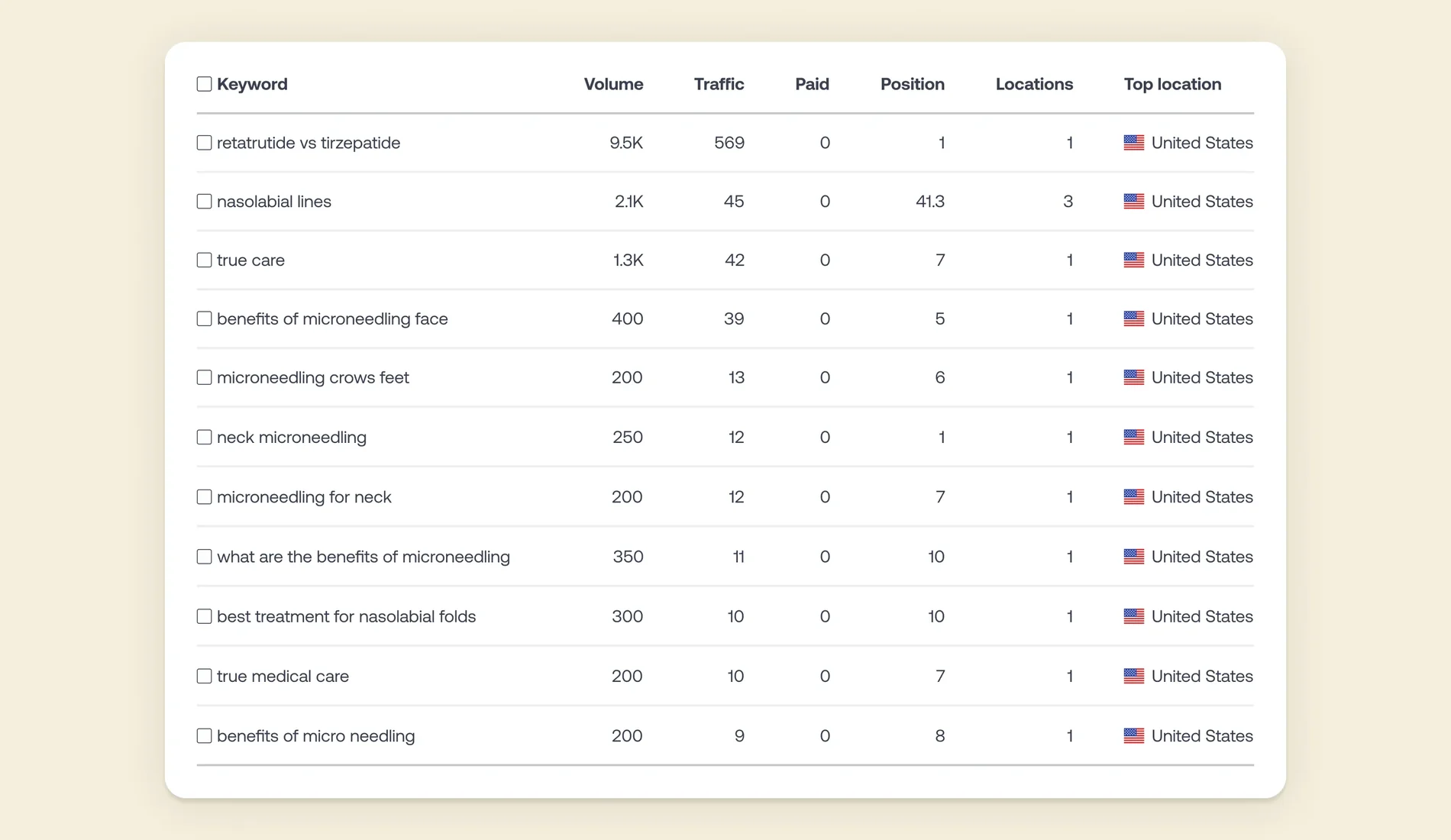
TrueCare Medical: from zero to 1,000+ monthly organic visitors in 8 months.
Technical SEO Audit Checklist
- Search Console and analytics access granted
- Priority pages listed by business value
- Full crawl compared with the XML sitemap
- Index coverage and noindex rules reviewed
- Orphan pages and deep pages found
- Redirect chains, loops and 404s mapped
- Canonical tags checked on similar pages
- Core Web Vitals measured on mobile for key templates
- Structured data validated against visible content
- Fix list ranked by impact and effort
- Re-crawl scheduled after fixes ship
Questions to Ask a Technical SEO Provider
- What data and access do you need before you start?
- How do you separate critical issues from minor warnings?
- Will the report name the URLs or templates affected?
- Do you implement the fixes, or hand them to our developers?
- How do you check the fixes after they ship?
- How do you handle redirects during a migration?
- How will findings connect to leads and priority pages?
Be wary of guaranteed rankings and of reports that give every warning the same urgency. Nobody controls Google's algorithms. A provider can commit to evidence, clear documentation and follow-through.
Frequently Asked Questions
Is a technical SEO audit a one-time project?
Some fixes are one-off, but sites change. New content, releases, integrations and migrations bring new problems. Many companies pair a first audit with ongoing monitoring or a check before each major release.
Does technical SEO replace content SEO?
No. Technical work makes sure the right pages can be found and read. Content answers the questions buyers search for. Most B2B sites need both, in an order set by the site's current problems.
Will fixing technical issues guarantee rankings?
No. Fixes remove barriers, but rankings also depend on relevance, competition and changes to search. Anyone promising a specific position is guessing.
How often should a site be audited?
It depends on size and how often it changes. A small, stable site can be checked a few times a year. A large site with frequent releases needs regular monitoring. Always re-audit after a migration or a sudden drop in search traffic.
Need an Audit You Can Act On?
Align's technical SEO service audits how search engines crawl and index your site, then ships the fixes and checks them in Search Console. Send us your site and we will tell you what an audit would cover and what it would cost.
References
- Google Search Central: SEO Starter Guide
- Google Search Central: Site moves with URL changes
- web.dev: Web Vitals


