A website redesign can feel exciting. New visuals, better UX, cleaner pages, stronger messaging, faster performance, and maybe finally removing that one old section nobody has wanted to talk about since 2019. But there is one big concern most businesses have before they redesign: what happens to SEO?
If your website already gets traffic from Google, ranks for important keywords, has backlinks, or brings in leads through organic search, a redesign should be handled carefully. A new website can improve your SEO if it is planned well. But if URLs change without redirects, content gets removed, metadata disappears, or pages are blocked from indexing, your rankings can drop fast.
That is why learning how to redesign website without losing seo is important before the design work begins. SEO should not be a last-minute checklist before launch. It should be part of the website redesign strategy from the start. A strong redesign should improve how the website looks, feels, works, and performs, while protecting the organic visibility you have already built.
Quick Answer: How to Redesign Website Without Losing SEO?
To redesign a website without losing SEO, you need to audit the current site, protect high-performing pages, map old URLs to new URLs, keep valuable content, set up proper redirects, preserve metadata where needed, test technical SEO before launch, and monitor performance after the new site goes live.
The simplest way to think about it is this: do not redesign blindly. Before changing pages, structure, or content, you need to know what is already working. Which pages bring traffic? Which keywords rank? Which URLs have backlinks? Which pages convert? Which content should be improved instead of removed?
A website redesign is not only a design project. It is also a content, SEO, UX, and technical project. When these pieces work together, the redesign becomes safer and more effective.
Why Website Redesigns Can Hurt SEO
A redesign can hurt SEO when the new website breaks signals that search engines already understand.
Search engines use many signals to crawl, index, and understand your website. Your URLs, page titles, headings, content, internal links, structured data, page speed, mobile experience, and backlinks all play a role. During a redesign, it is easy to accidentally change or remove these signals.
For example, a page that ranks well may get deleted because the team thinks it looks outdated. A URL may change without a redirect. Blog content may be migrated without images or headings. Internal links may disappear. Important pages may accidentally be set to noindex. A staging site may be left open to search engines. None of these issues are glamorous, but they can quietly damage organic performance.
Google’s documentation on site moves explains that URL changes should be handled carefully to minimize negative impact on search results [1]. Google also notes that redirects help tell visitors and Google Search when a page has moved to a new location [2].
In plain English: if your website moves things around, Google needs clear directions. Otherwise, it is like inviting someone to your new office and forgetting to tell them you moved buildings.
A Redesign Should Improve SEO, Not Reset It
Some teams treat a website redesign like a fresh start. Visually, that can be true. Strategically, it should not mean throwing away everything the old site earned.
Your current website may have valuable SEO history. Even if the design feels outdated, some pages may still rank, attract backlinks, or answer questions your audience cares about. Those assets should be protected.
A good redesign builds on what already works. It keeps the strongest pages, improves weak content, cleans up structure, fixes technical issues, and creates a better user experience.
| Risky Redesign Approach | SEO-Safe Redesign Approach |
|---|---|
| Redesign first, check SEO later | Audit SEO before design starts |
| Delete old pages without review | Identify valuable pages before removing anything |
| Change URLs casually | Keep URLs when possible or create redirect maps |
| Rewrite all content without keyword context | Improve content while preserving search intent |
| Launch without technical checks | Test crawlability, indexing, speed, and redirects |
| Assume traffic will recover on its own | Monitor rankings, traffic, and errors after launch |
The goal is not to protect every old page forever. Some pages may need to be removed, merged, rewritten, or redirected. But those decisions should be made intentionally, not accidentally.
Start with an SEO Audit Before the Redesign
Before redesigning the website, run an SEO audit of the current site. This gives you a clear view of what should be protected, improved, or removed.
The audit does not need to be overly complicated, but it should answer important questions. Which pages receive organic traffic? Which pages rank for valuable keywords? Which pages have backlinks? Which pages generate conversions? Which pages have technical issues? Which pages are outdated, thin, duplicated, or no longer useful?
This audit gives the redesign team a map. Without it, everyone is making design and content decisions in the dark. And while dark mode is nice, dark strategy is not.
A useful SEO audit should review:
- Current organic traffic by page
- Keyword rankings
- Indexed pages
- Backlinks
- Top landing pages
- Metadata
- Heading structure
- Internal links
- Thin or duplicate content
- Core Web Vitals and page performance
- Crawl errors and indexing issues
This step helps your team understand what the website has already earned in search.

Protect Your Highest-Value Pages
Not every page on your website has the same SEO value. Some pages may bring in most of your traffic. Others may rank for important commercial keywords. Some may have strong backlinks. Some may support lead generation even if they do not get the most traffic.
During a redesign, these pages need special attention. Before changing them, ask why they perform well. Is the content strong? Does the URL have backlinks? Does the page match search intent? Does it have useful internal links? Is the page ranking because of a specific heading or section?
When you know what makes a page valuable, you can redesign it without removing the parts that help it perform.
For example, a service page may need a better design, stronger CTA, and clearer structure, but the core topic, URL, title, headings, and useful content should be handled carefully. A blog article may need a refresh, but not a complete rewrite that removes the search intent people originally came for.
This is also where branding and website strategy connect. If your brand identity is changing during the redesign, make sure the new messaging still supports the search intent of important pages. Align’s Branding Process can help teams clarify positioning and identity before website content is redesigned.
Decide Which URLs Should Stay the Same
URLs are one of the most important parts of an SEO-safe website redesign.
If a URL already ranks well and still makes sense, keeping it is often the safest option. Changing URLs just because the new site has a different structure can create unnecessary risk.
Of course, sometimes URL changes are needed. Maybe the old structure is messy. Maybe service names changed. Maybe the site is moving from one platform to another. Maybe the old URL looked like someone spilled alphabet soup into the CMS.
When URLs need to change, create a redirect map before launch.
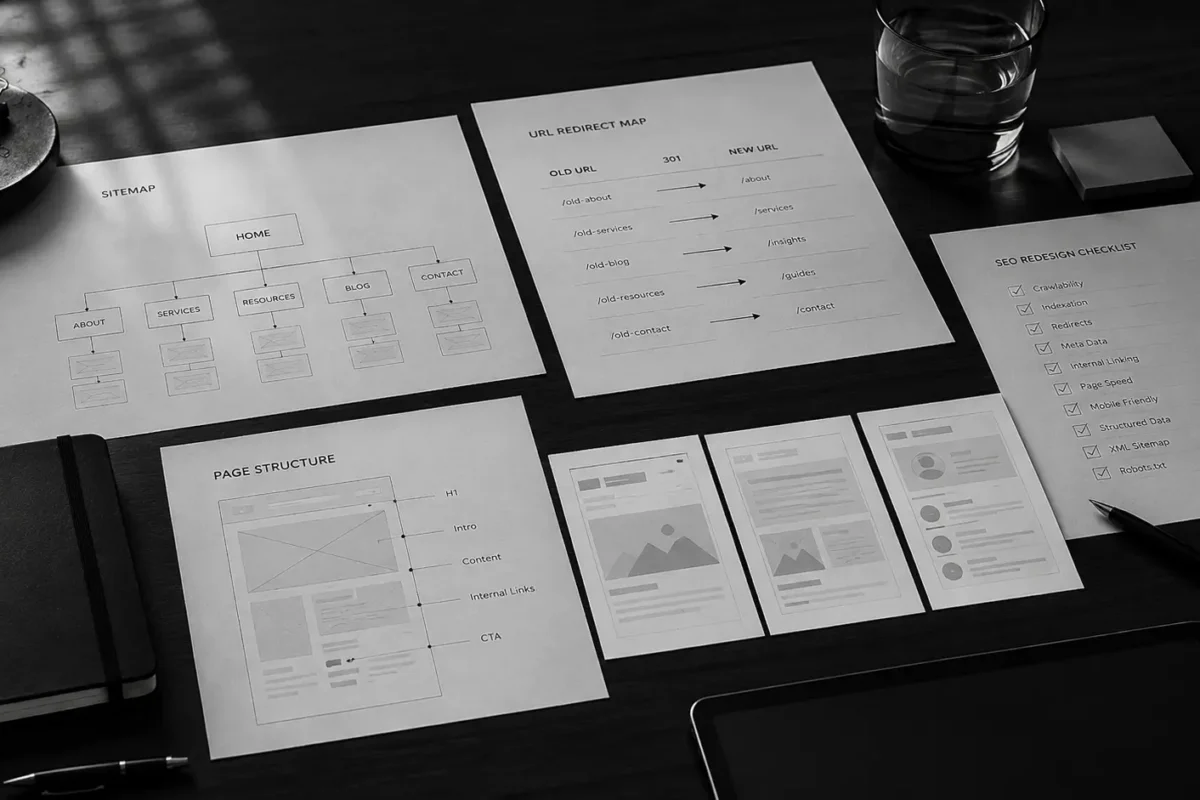
A redirect map lists every important old URL and shows where it should go on the new website. This helps preserve SEO value and prevents visitors from landing on broken pages.
| Old URL | New URL | Action |
| /services/web-design-old/ | /services/website-process/ | 301 redirect |
| /blog/old-seo-guide/ | /blog/updated-seo-guide/ | 301 redirect |
| /about-us-old/ | /about/ | 301 redirect |
| /service-page-no-longer-needed/ | Most relevant active page | Redirect or remove with care |
A good redirect plan protects users and search engines. It also makes launch day much less stressful, which is always a nice bonus.
Keep Content That Still Serves Search Intent
A website redesign often includes rewriting content. That can be a good thing. Many older websites have vague copy, weak headings, outdated services, or pages that no longer reflect the business.
But content should not be rewritten without understanding search intent.
Search intent means the reason behind the search. If someone searches for “website redesign SEO,” they likely want guidance on how to redesign without losing rankings. If your old page answered that well, the new page should still satisfy that intent, even if the copy is improved.
Google’s guidance on helpful content encourages businesses to create people-first content that genuinely helps users [3]. For a redesign, this means your content should be clearer, more useful, and better structured, not simply shorter or prettier.
When updating content, keep what is valuable and improve what is weak. Add clearer explanations, stronger headings, better examples, FAQs, internal links, and more helpful calls to action.
A redesign is a great chance to make content more useful. It is not a good time to delete half your organic traffic by accident.
Improve Page Structure and Headings
Good design makes content easier to read. Good structure makes content easier to understand.
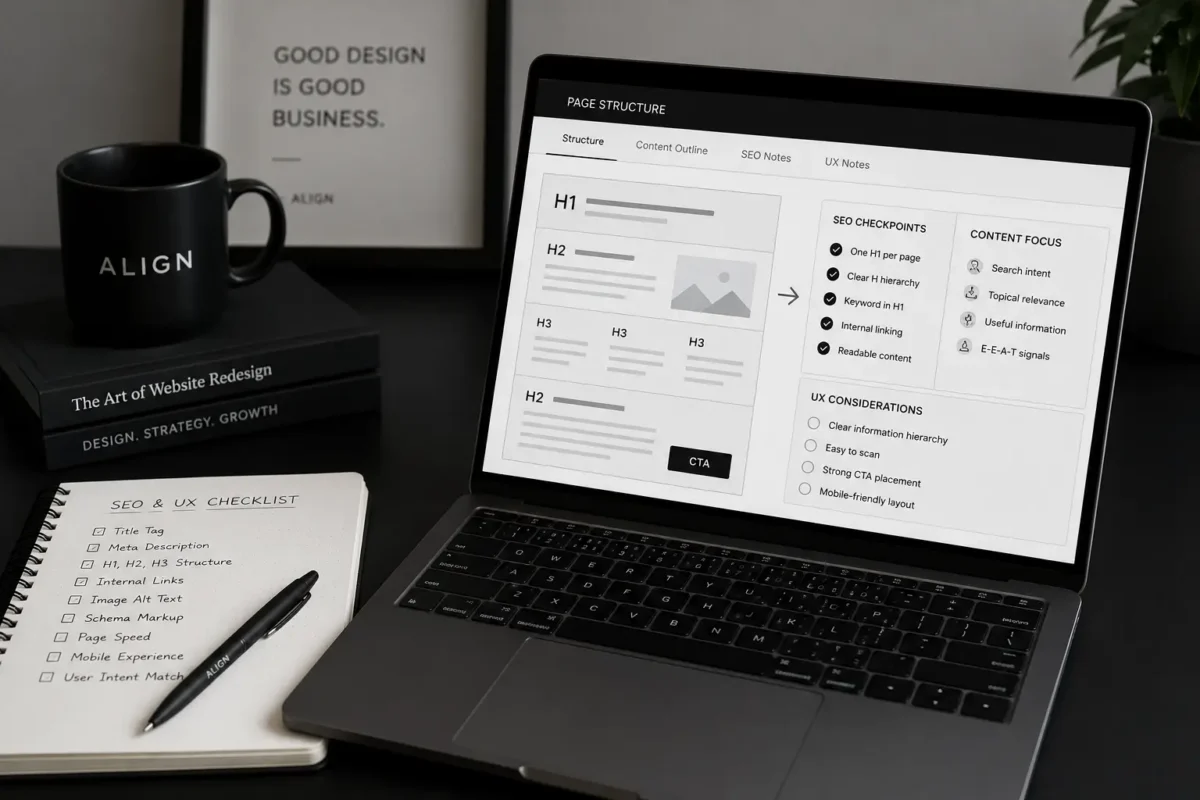
During a redesign, review the heading structure on every key page. Each page should have one clear H1, supported by useful H2s and H3s. Headings should not be chosen only for visual style. They should help users and search engines understand the topic of the page.
For example, a service page about website redesign should not use only creative headlines like “Let’s Build Something Beautiful.” That may sound nice, but it does not tell search engines or users enough. A stronger heading might include the actual service, such as “Website Redesign Services Built for UX, SEO, and Growth.”
That does not mean every heading should be stuffed with keywords. It means important pages should use clear language that matches what users are looking for.
A balanced page structure usually includes:
- A clear H1 that reflects the main page topic
- H2s that organize the main sections
- Descriptive headings for services and benefits
- Internal links to related pages
- Clear CTAs at natural decision points
- Helpful body content that supports the heading
This is where UX and SEO should work together. Clear structure helps people scan the page, and it helps search engines understand the page.
Use Internal Links to Protect and Strengthen SEO
Internal links are often overlooked during redesigns. But they matter.
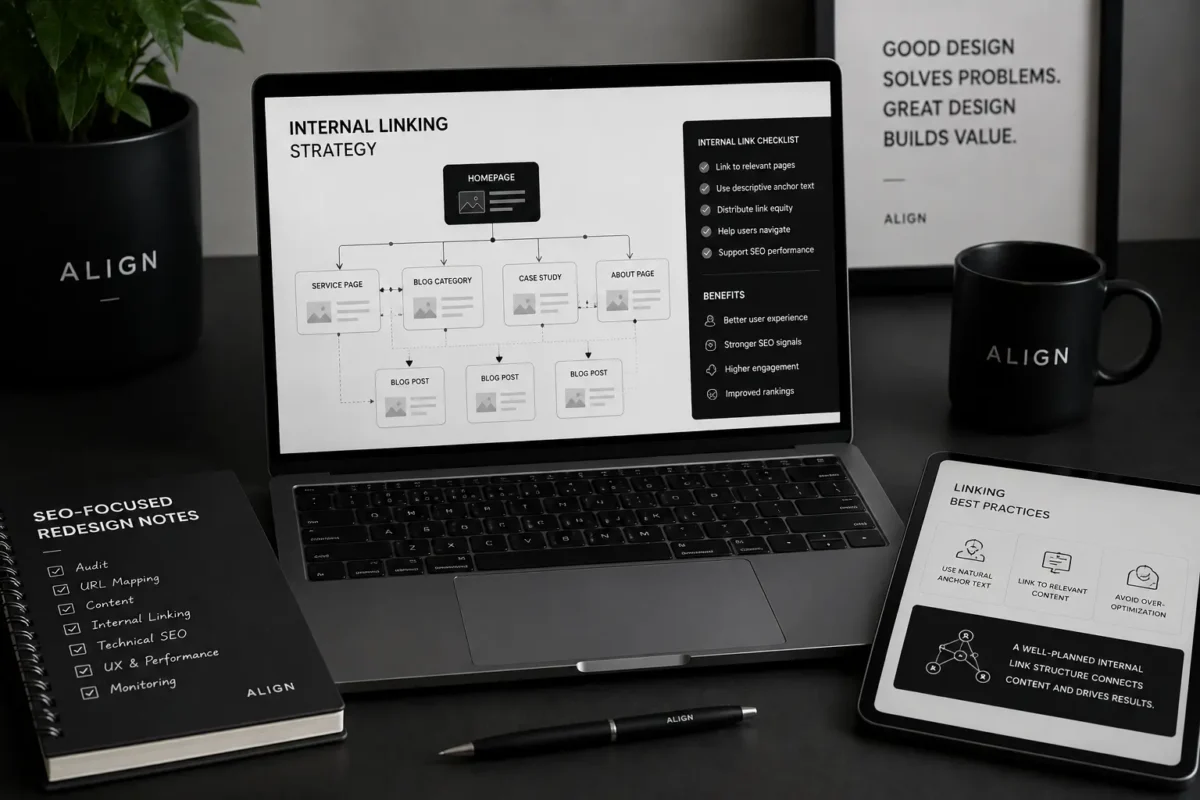
Internal links help users move through your website. They also help search engines understand which pages are important and how your content is connected.
When redesigning, check whether important internal links are being removed. A page that used to receive links from the homepage, navigation, blog posts, or service pages may lose visibility if those links disappear.
A smart redesign should improve internal linking, not weaken it.
For example, a blog post about how to redesign website without losing seo should naturally link to a service page about website strategy and development. Align’s Website Process is a relevant internal link because it explains how discovery, sitemap planning, UX/UI design, responsive development, SEO setup, and handover work together in a website project.
If the redesign also includes a brand refresh, linking to the Branding Process can help users understand how brand strategy and visual identity support a clearer website experience.
Internal links should feel useful, not forced. The best internal links help the reader take the next logical step.
Do Not Forget Technical SEO
Technical SEO is not the most glamorous part of a website redesign, but it is one of the most important.
Before launch, the new website should be checked for crawlability, indexing settings, redirects, canonical tags, sitemap, robots.txt, page speed, mobile responsiveness, structured data, and broken links.
This is also where many redesign mistakes happen. A developer may leave noindex tags on the live site. A staging robots.txt file may block search engines. Redirects may be incomplete. Images may be too large. Pages may look beautiful but load slowly. These issues can hurt SEO even if the design is strong.
Core Web Vitals are Google’s way of measuring real-world user experience around loading performance, interactivity, and visual stability [4]. During a redesign, this matters because new layouts, animations, images, scripts, and third-party tools can all affect performance.
A technical SEO checklist should include:
- 301 redirects are working
- Important pages are indexable
- XML sitemap is updated
- Robots.txt is correct
- Canonical tags are correct
- No broken internal links
- Mobile experience works well
- Images are optimized
- Core Web Vitals are reviewed
- Analytics and tracking are installed
- Forms and conversion events are tested
Technical SEO is the safety net that keeps the new website from launching with hidden problems.
Plan the Redesign Around UX and SEO Together
A redesign should make the website easier for people to use. That means UX matters as much as SEO.
If users cannot find information, understand services, or take action, SEO traffic will not help much. More visitors will simply experience the confusion faster.
UX and SEO should support the same goal: helping people find the right information and take the next step.
A strong redesign should improve navigation, mobile usability, readability, page hierarchy, CTA placement, and content flow. The site should feel easier to move through, especially on mobile. The design should support the message, not bury it under clever layouts.
This is where many redesigns go wrong. They focus too much on visual transformation and not enough on user behavior. A website can look modern and still confuse visitors. It can win a design award and still fail to generate leads. Pretty is nice. Useful is better.
Create a Prelaunch SEO Checklist
Before the new website goes live, create a prelaunch SEO checklist. This gives your team one final chance to catch issues before they affect search performance.
A simple prelaunch checklist may include:
| Checklist Item | Why It Matters |
| Redirect map tested | Prevents broken pages and lost SEO value |
| Metadata reviewed | Helps search engines and users understand pages |
| H1 and headings checked | Improves page clarity and structure |
| Internal links reviewed | Protects important page relationships |
| XML sitemap updated | Helps search engines discover pages |
| Robots.txt checked | Prevents accidental blocking |
| Noindex tags removed | Makes sure live pages can be indexed |
| Analytics installed | Allows performance tracking after launch |
| Mobile QA completed | Supports user experience across devices |
| Page speed reviewed | Reduces friction and supports performance |
This checklist should be handled before launch, not after traffic drops and everyone starts asking questions in Slack with increasing urgency.
Monitor SEO After Launch
Even a well-planned redesign needs post-launch monitoring.
After launch, check Google Search Console, analytics, rankings, traffic, index coverage, redirects, crawl errors, and page performance. Some fluctuation is normal, especially if the site structure changes. But major drops should be investigated quickly.
Watch your most important pages closely for the first few weeks. Make sure they are indexed, redirects are working, and traffic patterns are stable. Review any 404 errors and fix them quickly. Check whether Google is crawling the new pages properly.
SEO migration is not complete on launch day. It continues after launch until the website is stable.
Common Website Redesign SEO Mistakes
Many SEO problems during redesigns are preventable. The most common mistakes include changing URLs without redirects, removing high-performing content, forgetting metadata, blocking search engines, ignoring mobile performance, and launching without testing.
Another common mistake is redesigning only for appearance. A better-looking website is not automatically a better-performing website. The redesign should improve the whole digital experience: structure, content, navigation, speed, accessibility, conversion, and SEO.
A successful website redesign does not erase what your old site earned. It protects what works, improves what does not, and gives your business a stronger foundation for growth.
This is the mindset that helps businesses redesign with more confidence.
Website Redesign SEO Checklist
Here is a simplified checklist your team can use before starting a redesign:
- Audit current SEO performance.
- Identify top organic landing pages.
- Export current URLs.
- Review keyword rankings.
- Check backlinks to important pages.
- Decide which URLs should stay.
- Create a redirect map for changed URLs.
- Preserve or improve valuable content.
- Review metadata and headings.
- Improve internal linking.
- Test crawlability and indexing settings.
- Check mobile responsiveness.
- Review Core Web Vitals.
- Update XML sitemap.
- Test analytics, forms, and conversion tracking.
- Monitor Search Console after launch.
This may look like a lot, but it is much easier to handle before launch than after rankings drop.
So, How Do You Redesign Without Losing SEO?
The best way to redesign without losing SEO is to treat SEO as part of the redesign process from day one.
Start with an audit. Protect valuable pages. Keep strong URLs when possible. Redirect old URLs when needed. Improve content without removing search intent. Strengthen internal links. Test technical SEO before launch. Monitor performance after launch.
A good redesign should make your website clearer, faster, easier to use, and easier for search engines to understand. It should not reset your organic visibility or make users start from scratch.
If you are asking how to redesign website without losing seo, the answer is simple: plan before you move, protect what already works, and make every design decision support both users and search performance.
Ready to Redesign Your Website Without Breaking SEO?
A website redesign should help your business grow, not create new search problems.
At Align, we help businesses plan and build websites that connect brand strategy, UX/UI design, responsive development, SEO-friendly structure, and launch support. Whether you are refreshing your brand, rebuilding your website, or improving organic visibility, we can help you create a redesign process that feels clearer and safer from start to finish.
Explore Align’s Website Process, learn how brand clarity starts with our Branding Process, or Start a Project with our team.
References
- Google Search Central: Site Moves and Migrations
Google Search Central: Redirects and Google Search
Google Search Central: Creating Helpful, Reliable, People-First Content
Google Search Central: Understanding Core Web Vitals and Google Search Results