


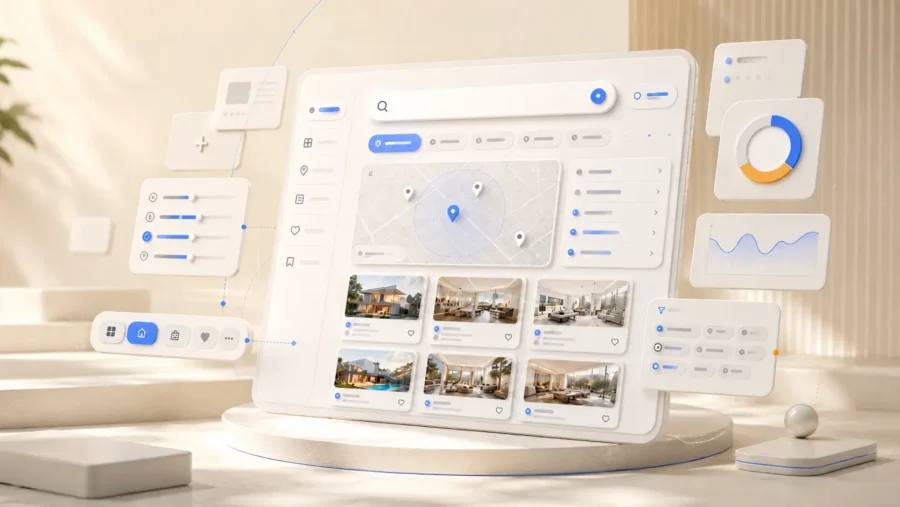
Creating a digital hub that connects users with exactly what they need is no small feat; it requires a masterful approach to directory website design. Whether you are building a niche professional network or a massive local business listing site, the way you structure and present information determines if visitors stick around or bounce to a competitor. A directory is only as valuable as its usability, and in a world where 68% of online experiences begin with a search engine, your web directory design must be both intuitive for humans and optimized for crawlers.
The problem most creators face is information overload. Without a strategic layout, a directory quickly becomes a cluttered mess that frustrates users and hides your best content. This guide breaks down the essential pillars of building a high-converting platform, from mastering complex information architecture to implementing lightning-fast search functionality. You will learn how to transform raw data into a seamless user journey that drives engagement and boosts your bottom line. Let’s dive into the fundamentals of creating a directory that works as hard as you do.
Directory Website Design: The Fundamentals of Modern Directory Website Design
Building a successful directory in 2024 requires a radical shift in perspective. The era of the digital yellow pages is over; today, high-performing platforms function as curated discovery engines. Your web directory design must move beyond being a simple list and become a focused ecosystem that bridges the gap between a specific problem and a verified solution.
Defining Your Niche and User Intent
The most common mistake in directory website design is trying to be everything to everyone. Broad directories often struggle to compete with established giants, whereas niche directories thrive by capturing specific user intent. When you narrow your focus, you can tailor the metadata, filters, and search parameters to exactly what your audience needs. For example, a directory for boutique hotels requires vastly different data points, such as pet-friendliness or proximity to landmarks, than a directory for freelance developers, which might prioritize tech stacks and hourly rates.
The Core Value Proposition: Why Users Visit Directories
Users don’t visit directories to browse; they visit to decide. Your design must facilitate this decision-making process through trust and transparency. This means highlighting reviews, verification badges, and detailed service descriptions. Because search engines remain the primary gateway to these decisions, it is worth noting that 68% of online experiences begin with a search engine, making your SEO-driven design choices critical for visibility.[2]
In the modern landscape, a directory is no longer just a list of links; it is a trusted resource that filters noise into signal for a specific community.
Understanding the Two-Sided Marketplace Dynamic
A directory serves two distinct masters: the searcher looking for information and the business owner looking for leads. Your web directory design must balance these needs seamlessly. The searcher needs lightning-fast results and intuitive navigation, while the business owner needs a frictionless onboarding process and a dashboard that proves ROI. If the barrier to entry is too high for either side, the marketplace collapses.
Success Checklist: Modern Directory Essentials
- Hyper-specific niche focus to capture long-tail search intent.
- Verified listing badges to build immediate user trust.
- Mobile-first search filters that allow for quick narrowing of results.
- Clear calls-to-action for both listing owners and searchers.
Information Architecture: Organizing Complex Data
The success of your directory website design hinges on how effectively you categorize a massive influx of information. If a user feels overwhelmed by choices or lost in a maze of irrelevant subcategories, they will bounce. Effective web directory design is not just about listing businesses; it is about building a logical map that guides a user from a broad intent to a specific solution in three clicks or fewer. This requires a disciplined approach to information architecture where data is grouped by user behavior rather than just alphabetical order.
Designing Intuitive Category Hierarchies
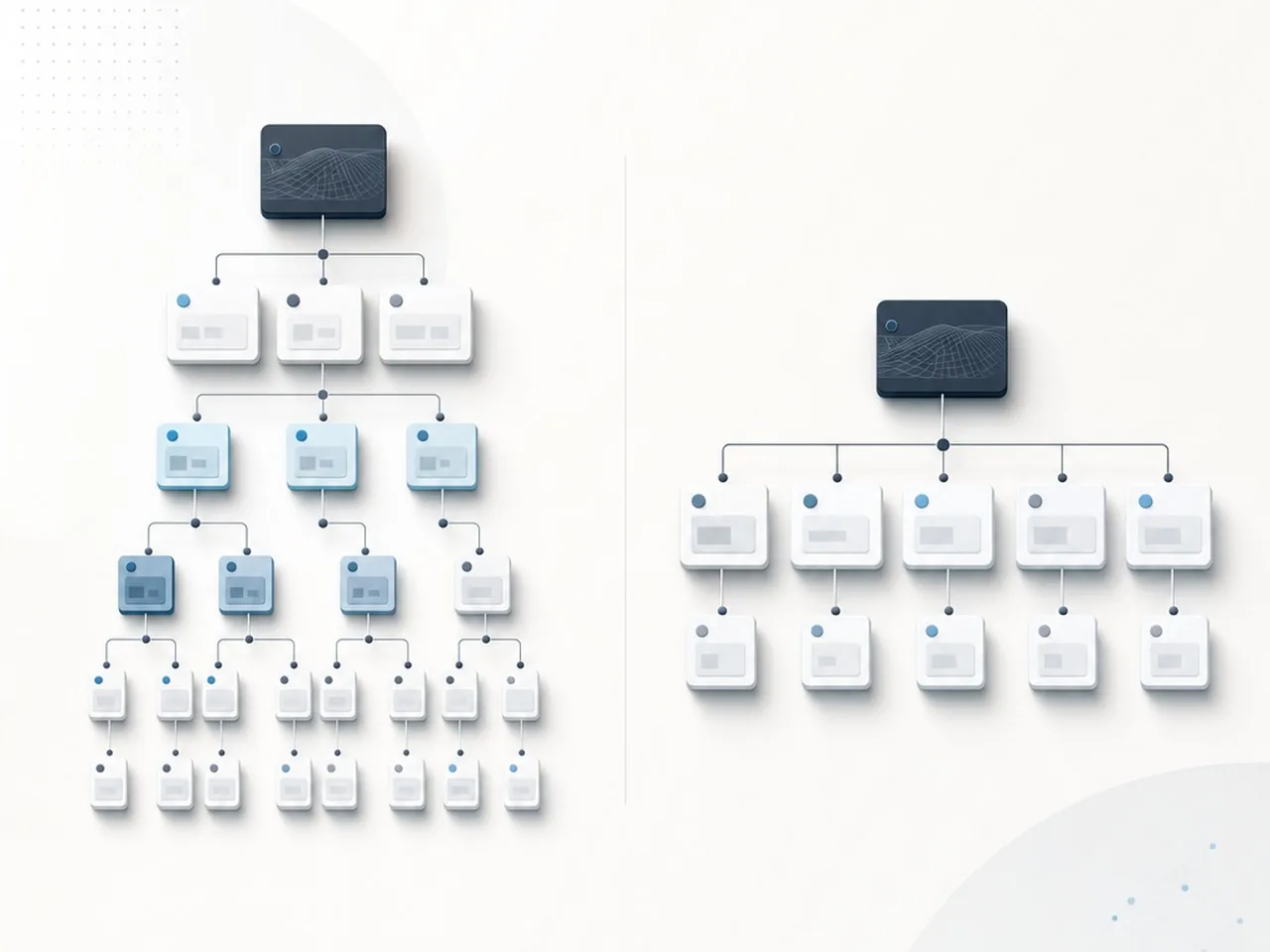
When structuring your directory, you must decide between a deep or flat architecture. A deep architecture involves many nested subcategories, which can be precise but exhausting to navigate. A flat architecture keeps categories broad and accessible, relying on filters to do the heavy lifting. For most modern directories, a hybrid approach works best: keep the top level lean and use smart filtering to narrow the results.
| Architecture Type | Best For | User Experience Impact |
|---|---|---|
| Flat (Broad) | General niche directories | Fast browsing; requires strong search bars. |
| Deep (Nested) | Highly technical or local lists | Extreme precision; can cause click fatigue. |
| Hybrid | Marketplaces and Portals | Balanced; uses categories for SEO and filters for UX. |
The Power of Taxonomy and Smart Tagging
Taxonomy is the backbone of your directory website design. While categories are the primary buckets, tags act as the flexible connective tissue. Use tags to capture attributes that do not fit into a strict hierarchy, such as ‘Pet Friendly,’ ‘Open Late,’ or ‘Verified.’ This allows users to cross-reference data across different categories without cluttering your main navigation menu.
Primary vs. Secondary Navigation in Directories
Your primary navigation should focus on the ‘Big Three’ actions: Search, Browse Categories, and Add Listing. Secondary navigation, often tucked into footers or account sidebars, should handle the administrative side like user profiles, saved favorites, or help centers. Research suggests that user experience is a critical driver of retention, as 88% of online consumers are less likely to return to a site after a bad experience. Keeping your navigation clean ensures that the user journey remains frictionless from the first landing page to the final conversion.[3]
Great directory design is invisible; the user should find exactly what they need without ever having to think about how the data was organized.
Search and Discovery: The Heart of Your Web Directory Design
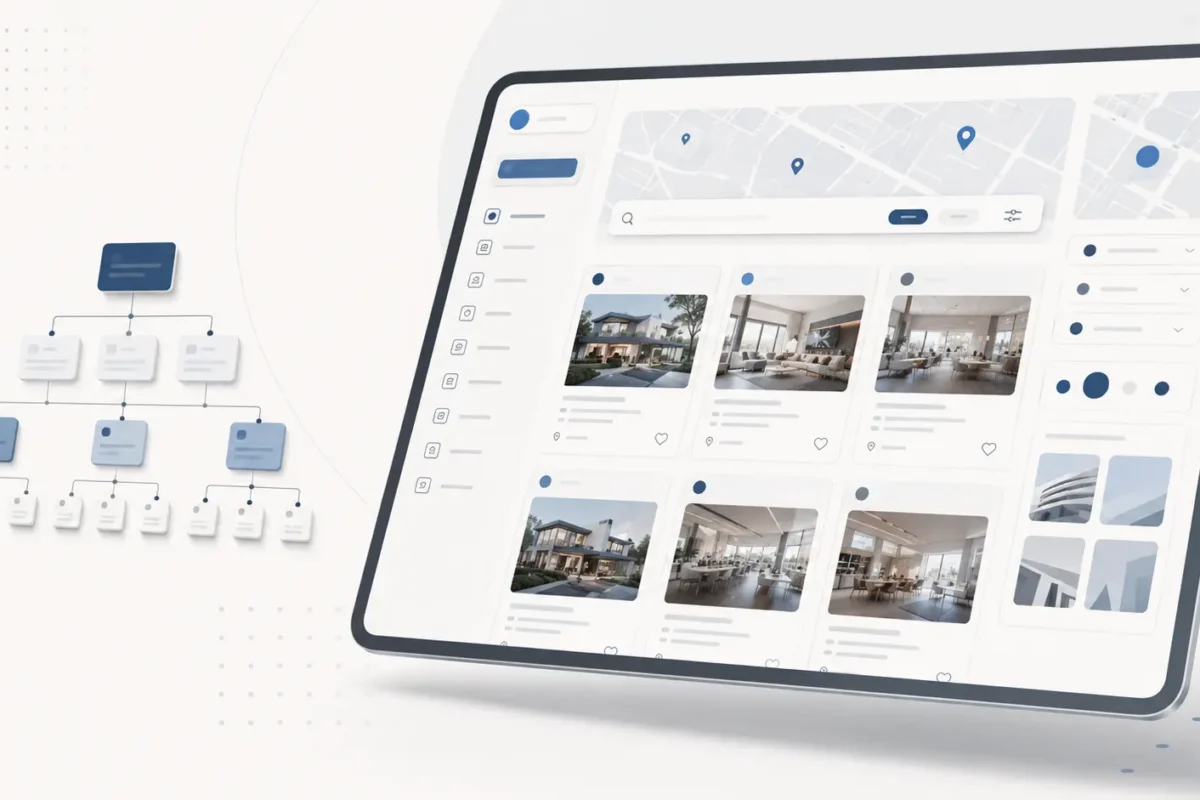
In the world of directory website design, the search bar is not just a feature; it is the primary interface through which your users experience your brand. Research indicates that approximately 70% of directory users bypass the navigation menu and go straight to the search box to find what they need. This behavior places immense pressure on your web directory design to provide a search experience that is both lightning-fast and highly intuitive. If your search fails to deliver relevant results within seconds, users will likely bounce and look for a more efficient platform.[4]
Quick Breakdown: Must-Have Search Features
- Radius Filters: Allow users to define the exact distance they are willing to travel.
- Category Toggles: Enable quick switching between business types without reloading the page.
- Real-Time Results: Update the listing view instantly as filters are checked.
- Save Search: Let users opt-in for notifications when new listings match their criteria.
Implementing Advanced Filtering and Faceted Search
Faceted search is the secret sauce of high-converting directories. Instead of a flat list, provide filters that adapt based on the category selected. For example, if a user selects ‘Restaurants,’ the facets should automatically update to include price range, cuisine type, and dietary options. A common mistake in web directory design is overwhelming the user with too many filters at once; instead, use collapsible menus or ‘drawers’ to keep the UI clean while maintaining deep functionality.
Location-Based Search and Geolocation UX
For local directories, location is the most critical data point. Implementing a ‘Near Me’ button using geolocation APIs can significantly reduce friction. When designing the UI, ensure the location input field is prominent and supports radius-based searching. This allows users to expand or contract their search area based on their specific needs. According to search trends, billions of searches are conducted every day with users expecting hyper-local relevance, making precise geographic filtering a non-negotiable standard for modern directories.
Predictive Search and Auto-Suggestions
Predictive search helps users narrow down their intent before they even hit the enter key. As the user types, your web directory design should offer suggestions for popular listings, categories, or even specific locations. This reduces typing effort and prevents ‘zero results’ pages by guiding users toward existing data. To optimize this, ensure that the auto-suggestion dropdown is mobile-friendly, with large touch targets and clear labels that distinguish between a category suggestion and a specific business name.
A search bar that anticipates user intent transforms a static database into a dynamic, helpful assistant.
Designing High-Converting Listing Pages
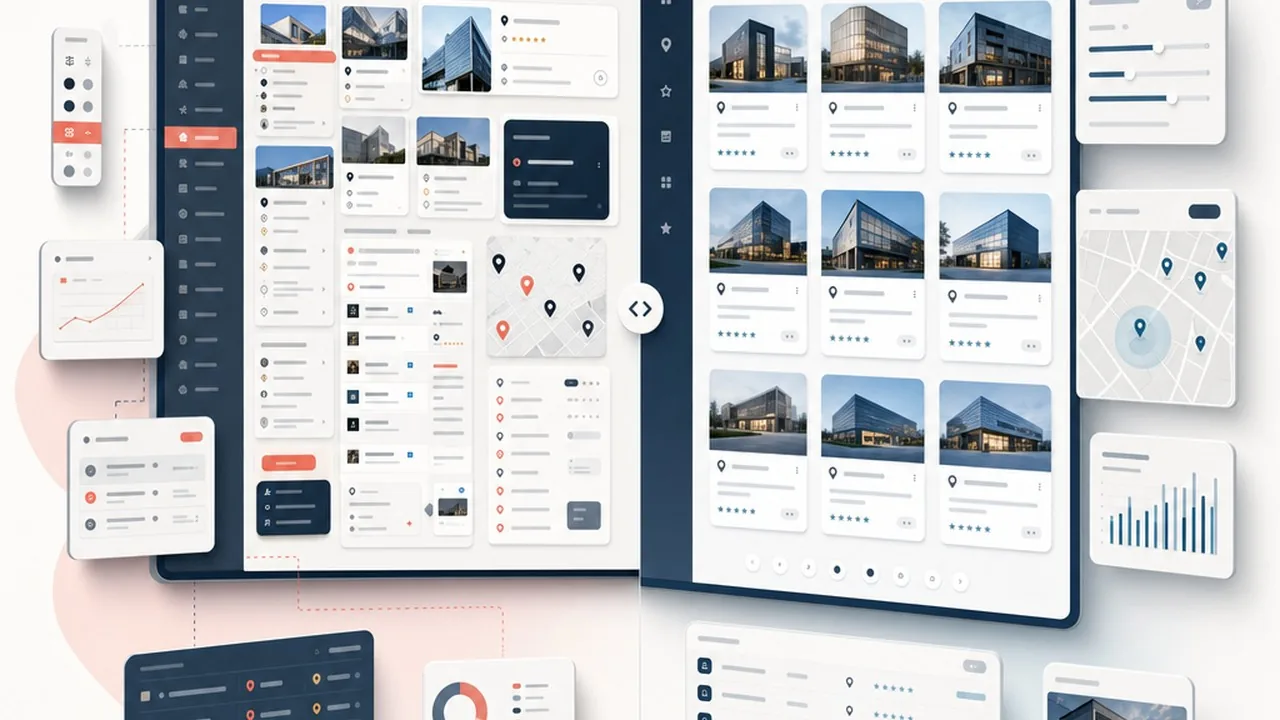
Once a user clicks through from the search results, the individual listing page must act as a high-pressure closer. In effective directory website design, this page is not just a data sheet; it is a conversion funnel. The goal is to move the user from ‘just looking’ to ‘taking action’ within seconds of landing. This requires a meticulous balance of visual hierarchy, trust signals, and frictionless interaction points.
Visual Hierarchy: Making Key Information Pop
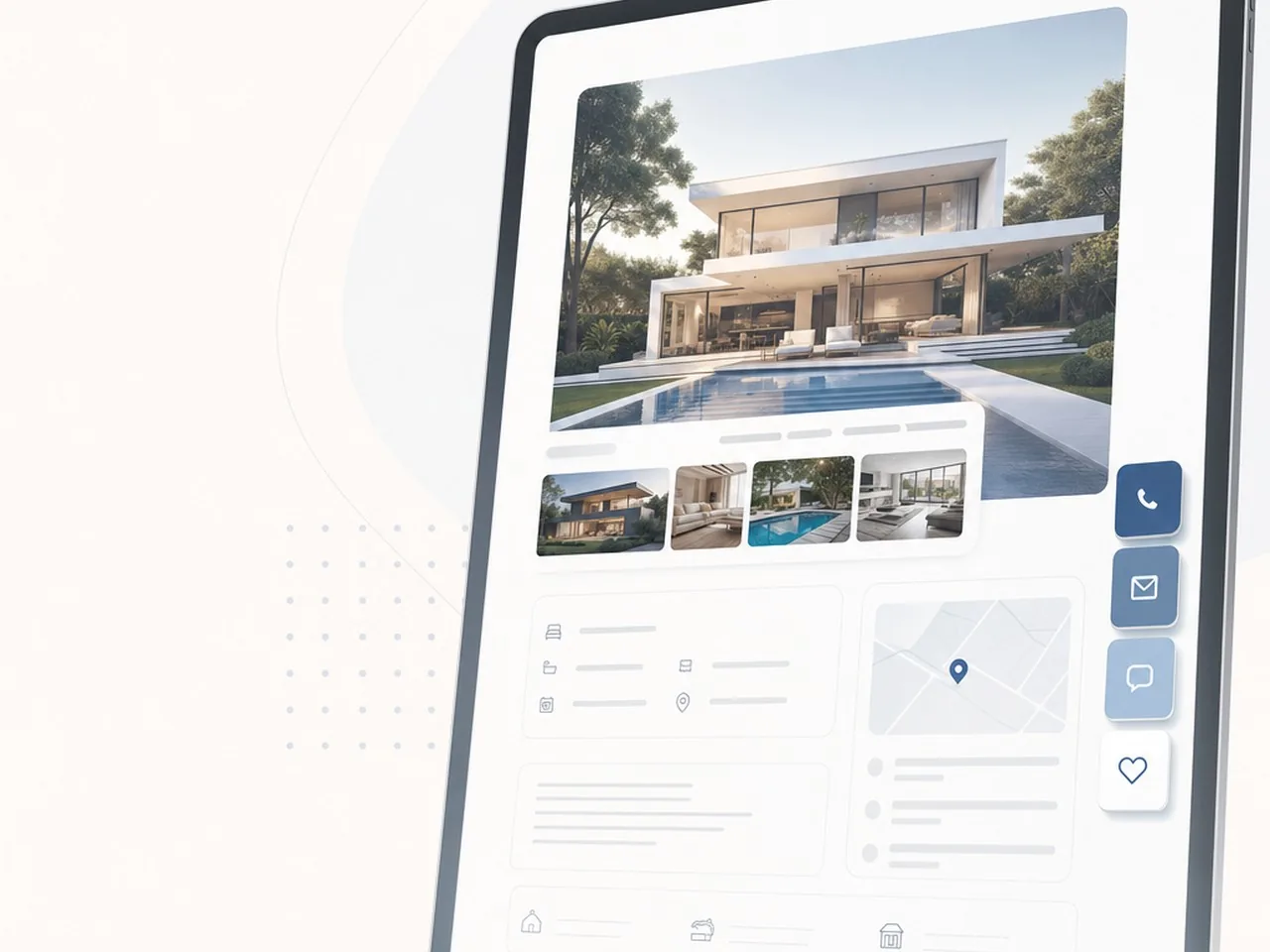
The ‘Hero’ section of your listing page is the most valuable real estate you own. It should immediately communicate the entity’s name, its core value proposition, and its current status. High-quality imagery or a video header can set the mood, but the critical data; rating, price range, and location; must be legible against the background. To keep conversion rates high, ensure your primary CTA, such as ‘Book Now’ or ‘Get a Quote’, is either pinned in a sticky header or placed in a high-contrast floating sidebar that follows the user as they scroll.
Listing Page Essentials:
- Sticky CTA buttons to keep the primary action accessible at all times.
- Breadcrumb navigation to allow easy return to the filtered search results.
- Clear contact details positioned above the fold for immediate access.
- A ‘Quick Facts’ table for rapid scanning of attributes like hours or amenities.
The Role of Social Proof and Review Systems
Users trust other users more than they trust a brand’s self-description. A robust review system is the backbone of successful web directory design. Beyond simple star ratings, allow users to filter reviews by ‘most relevant’ or ‘recent’ to provide a transparent view of the service. Highlighting ‘Verified User’ badges or top-tier reviews near the top of the page builds immediate credibility, reducing the friction that often prevents a user from reaching out to a new business.
Integrating Interactive Elements: Maps, Calendars, and Quotes
Static text is rarely enough to convert a modern lead. Interactive elements turn a passive reader into an active participant. Integrating a live map allows users to visualize the commute, while an embedded calendar enables real-time availability checks. If the directory serves service-based businesses, a ‘Request a Quote’ form with pre-filled fields can significantly increase lead volume. By minimizing the steps required to get an answer, you create a seamless user journey that benefits both the visitor and the listed business.
A high-converting listing page treats every visitor like they are one click away from a decision, removing every possible barrier to that final action.
SEO Strategies for Directory Website Design
Building a directory is a massive undertaking in information architecture. When your site houses thousands of listings, the challenge shifts from simple keyword targeting to managing crawl budget and link equity. Effective web directory design ensures that search engines can discover every sub-category and individual listing without getting trapped in infinite loops or low-value pages.
Optimizing for Programmatic SEO and Dynamic Pages
Programmatic SEO is the engine behind successful directories; it allows you to generate high-quality pages at scale using structured data. However, the biggest risk in directory website design is faceted navigation, where multiple filter combinations create duplicate content. To prevent this, you must set clear rules for which pages are indexable. Focus on indexing high-value combinations, such as ‘Web Designers in Ho Chi Minh City,’ while using canonical tags or noindex directives for hyper-specific or empty filter results to keep your crawl budget lean.[5]
Mastering Schema Markup for Directory Listings
To stand out in the SERPs, your directory needs to speak the language of search engines. Implementing ‘LocalBusiness’ schema is non-negotiable for geographic directories, as it helps Google understand the physical location, operating hours, and contact details of each entry. Furthermore, integrating ‘Review’ schema allows star ratings to appear directly in search results, which significantly boosts click-through rates. This structured data makes your web directory design more ‘readable’ for bots, often leading to rich snippets that dominate the page.
Directory SEO Checklist:
- Deploy LocalBusiness and Review Schema across all listing templates.
- Use breadcrumbs to establish a clear hierarchy for users and bots.
- Limit indexable faceted navigation to avoid duplicate content issues.
- Ensure all category pages have unique, value-driven H1s and meta descriptions.
Internal Linking Structures for Maximum Crawlability
In a directory with ten thousand pages, the deepest listings often starve for authority. A flat internal linking structure is essential. Instead of burying listings five clicks deep, use ‘Related Listings’ sections, ‘Featured Categories’ on the homepage, and HTML sitemaps to distribute link equity. By linking horizontally between similar services or locations, you create a web of connectivity that helps search spiders reach the furthest corners of your site. Proper internal linking ensures that even the newest listing gains enough visibility to start ranking.
SEO for directories isn’t just about keywords; it is about building a scalable map that search engines can navigate without hitting a single dead end.
Monetization UX: Designing for Revenue Without Friction
A directory website is only as successful as its ability to convert visitors into paying members. If the path to a premium listing is cluttered with complex forms or hidden fees, potential customers will bounce before they ever reach for their credit cards. High-converting web directory design treats the business owner as a primary user persona, ensuring that every financial interaction feels like an investment rather than a hurdle. By streamlining the onboarding process and making the value of upgrades self-evident, you can build a sustainable revenue model that scales with your traffic.
Creating Compelling Claim-a-Listing Workflows
The ‘Claim Listing’ button is one of the most powerful conversion tools in your directory website design. When a business owner finds their brand already listed, the psychological desire to control that presence is high. The UX should capitalize on this by offering a frictionless verification process. Avoid forcing users to create a full account before they even begin the claim; instead, allow them to verify their identity via business email or social authentication first. This reduces the initial barrier to entry and builds immediate trust.
Designing Tiered Pricing Tables That Convert
Pricing tables are the heartbeat of your monetization strategy. Effective web directory design uses clear visual hierarchy to steer users toward the most popular or profitable tier. Use contrasting colors for the ‘Recommended’ plan and ensure that the differences between ‘Free’, ‘Silver’, and ‘Gold’ tiers are easy to digest at a glance. Focus on the benefits, such as ‘3x more leads’ or ‘Top of Search Results’, rather than just listing technical features.
Premium Dashboard Essentials
- Real-time analytics showing profile views and click-through rates.
- Lead management system with instant email notifications.
- Media manager for high-resolution galleries and promotional videos.
- Simple toggle for managing featured placement and ad spend.
- Priority support channel for technical or billing assistance.
Native Advertising and Featured Placement Integration
Monetization should never compromise the user experience for the end-seeker. When designing sponsored or featured listings, use subtle visual cues like a ‘Promoted’ badge or a slightly different background hue to maintain transparency. Integrating these placements naturally within the search results, rather than using intrusive pop-ups, keeps the site feeling professional and trustworthy. This native approach ensures that advertisers get the visibility they pay for without alienating the organic audience that drives the site’s value.
The secret to directory growth is making the transition from a free user to a paying customer feel like a natural evolution of the business owner’s success.
Mobile-First Design and Performance Optimization
A directory website is only as useful as its speed. Because these platforms often handle thousands of entries, high-resolution images, and complex filtering logic, they can easily become bloated. In the modern web landscape, a slow-loading directory is a ghost town; users expect instant results, especially when searching on the go. Effective web directory design requires a technical strategy that prioritizes the mobile experience and aggressive performance tuning from the very first line of code.
Responsive Grid Systems for Directory Cards
Designing for mobile isn’t just about shrinking desktop elements; it is about rethinking how data is displayed. Directory cards should use a flexible grid system that transitions from multi-column layouts on ultra-wide monitors to a single, focused column on smartphones. Ensure that card heights remain consistent to prevent awkward layout shifts, and use CSS Grid or Flexbox to maintain alignment. On smaller screens, prioritize the most vital information, such as the business name, rating, and distance, while hiding secondary details like long descriptions or social media handles behind a ‘view more’ toggle.
Optimizing Core Web Vitals for Data-Heavy Sites
Google prioritizes sites that provide a stable and fast visual experience. For directory website design, this means tackling Cumulative Layout Shift (CLS) and Largest Contentful Paint (LCP). Large hero images or late-loading map modules often cause page elements to jump, frustrating users. To combat this, define explicit dimensions for all images and use placeholders for maps or ad units. Furthermore, minifying database queries is essential; instead of fetching every data point for a listing in the initial search results, only query the specific fields needed for the preview snippets to reduce server response times.
Performance Checklist:
- Implement lazy loading for all images and map assets to save initial bandwidth.
- Utilize Next-gen formats like WebP for listing photos to maintain quality at lower file sizes.
- Enable browser caching and Gzip compression to speed up repeat visits.
- Minify CSS and JavaScript files to reduce the overall page weight.
Touch-Friendly Filtering and Navigation
Filtering is the heart of any directory, but it can be a nightmare on mobile if the hit targets are too small. Avoid tiny checkboxes or tightly packed dropdown menus. Instead, use large, button-style filters and ‘drawer’ menus that slide in from the side or bottom of the screen. This ensures that users can refine their search with a single thumb press, reducing friction and increasing the likelihood of a conversion. Always test your navigation with real-world thumb-reach zones to ensure the most important actions are within easy reach.
In directory design, performance is more than a technical metric; it is a core feature of the user experience that builds immediate trust.
Common Pitfalls in Directory Design and How to Avoid Them
Building a successful directory involves more than just listing data; it requires a commitment to long-term usability and technical hygiene. Many platforms fail because they focus entirely on the initial launch while neglecting the friction points that drive users away over time. By identifying these common mistakes early, you can design a directory that remains a valuable resource for years rather than a cluttered digital graveyard.
Overcomplicating the Submission Process
One of the most frequent errors in web directory design is a high-friction onboarding flow. When you ask contributors to fill out dozens of non-essential fields or navigate a clunky multi-page form, they often abandon the process entirely. To fix this, stick to the essentials during the initial signup and allow users to enrich their listings later. A streamlined submission process encourages a higher volume of entries, which is vital for the growth of your ecosystem.
Ignoring Data Freshness and Maintenance UX
A directory is only as good as its accuracy. If users consistently find broken links, outdated phone numbers, or closed businesses, they will lose trust in your brand. High-quality directory website design includes backend tools that prompt listing owners to verify their information periodically. Without automated reminders or easy-to-use editing dashboards, your data quality will inevitably degrade, leading to poor search rankings and frustrated visitors.
Poor Mobile Search Functionality
Mobile users often have high intent and low patience. If your search filters are hidden behind confusing menus or if the results page requires excessive scrolling to find relevant information, your bounce rate will soar. Mobile directories must prioritize speed and thumb-friendly interactions; otherwise, the convenience of the directory is lost. Avoiding these technical and structural traps is what separates a professional platform from an amateur project.
Quick Breakdown: Directory UX Standards
- Bad UX: Dozens of mandatory fields that stall the submission process.
- Align Standard: Minimalist ‘Essential-First’ forms with progressive profiling.
- Bad UX: Static data that becomes obsolete and unreliable within months.
- Align Standard: Automated verification loops and owner-driven update prompts.
- Bad UX: Tiny checkboxes and desktop-style filters that break on mobile.
- Align Standard: Large touch targets and slide-in drawer menus for mobile ease.
In the world of directory design, the easiest path for the contributor is usually the most profitable path for the owner.
Implementation Checklist: From Wireframe to Launch
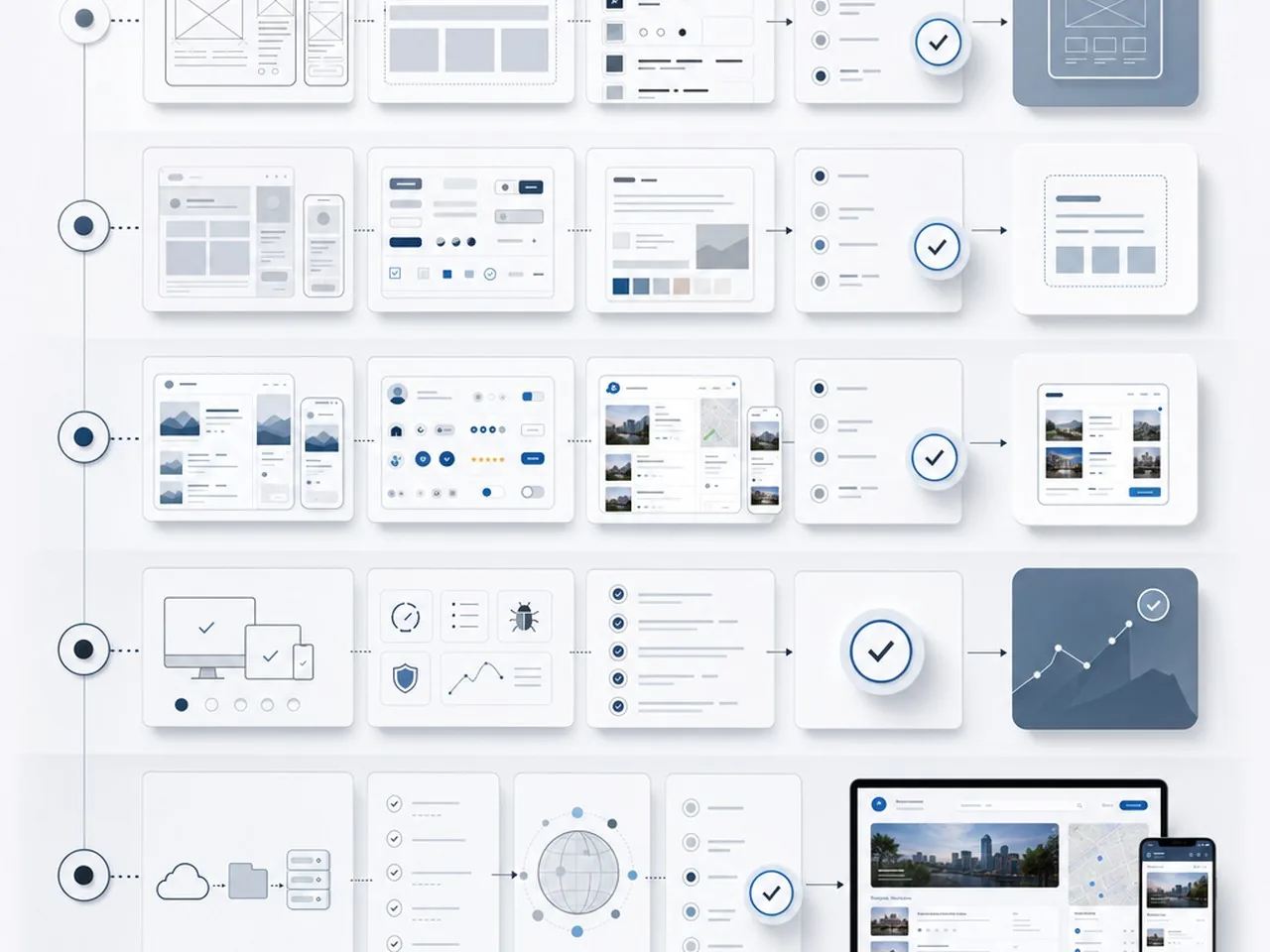
Moving from a conceptual idea to a live, high-performing directory website design requires a disciplined transition between phases. It is not merely about making things look pretty; it is about ensuring the structural integrity of your data and the usability of your search interface. A successful launch follows a linear path where user experience is validated before a single line of code is finalized.
The UX Research and Wireframing Phase
Before diving into high-fidelity visuals, you must map the user journey. Start by defining the primary search intent: are users looking for a local service, a niche product, or a professional contact? Your wireframes should prioritize the search bar and filter logic above all else. During this stage, create low-fidelity sketches that focus on the ‘Information Architecture’ to ensure that categories are logical and that the path from the homepage to a listing detail page takes no more than two clicks.
Beta Testing with Real Data Sets
One of the most common pitfalls in web directory design is testing with ‘Lorem Ipsum’ or perfect, uniform data. Real-world data is messy; some descriptions are short, while others are long, and images come in varying aspect ratios. Beta testing should involve importing a representative sample of actual listings to see how the layout handles edge cases. This phase allows you to refine your CSS grid and ensure that the directory remains visually cohesive regardless of the content provided by users.
Pre-Launch Quality Gates:
- Schema Markup Validation: Ensure every listing uses proper LocalBusiness or Product schema.
- Mobile Filter Accessibility: Verify that all dropdowns and checkboxes are easily tappable on small screens.
- Load Speed Optimization: Compress all user-uploaded imagery to maintain snappy performance.
- Conversion Tracking: Confirm that ‘Contact’ or ‘Website’ clicks are being recorded correctly.
Post-Launch SEO and Performance Audit
Once the site is live, the focus shifts to visibility and technical health. A directory is only as valuable as its traffic. Conduct a comprehensive audit to ensure that every category and listing page is being indexed correctly by search engines. Monitor your Core Web Vitals closely, as page speed and layout stability are critical factors for ranking in a competitive niche. Regular audits help identify broken links or orphaned pages that can dilute your domain authority over time.
A directory is never truly finished; it is a living ecosystem that requires constant tuning to remain the definitive resource in its niche.
Mastering Directory Website Design for Long-Term Success
Building a successful platform requires a strategic approach to directory website design that goes far beyond a simple list of links. It is about creating a structured, intuitive environment where users find immediate value and businesses find a platform worth their investment. By focusing on a mobile-first UI, implementing a robust search architecture, and maintaining a rigorous performance audit schedule, you transform a basic site into a high-authority hub. The most successful directories are those that evolve alongside their users; they prioritize speed, accessibility, and clean aesthetics to ensure that every visit is seamless. As you move forward, remember that the technical foundation you lay today determines how effectively you can scale your monetization and community features tomorrow. A well-executed web directory design is not just a utility; it is a powerful asset that establishes your brand as the definitive leader in your specific market or industry niche.
Ready to Build a World-Class Directory Site?
Launching a directory is a significant undertaking, but you do not have to navigate the complexities of UX/UI and search engine optimization alone. At Align, we specialize in high-performance directory website design that balances sophisticated functionality with a clean, user-centric interface. Whether you are starting from scratch or looking to revitalize an existing platform, our team is ready to help you optimize your site for maximum conversions and visibility. We invite you to visit Align.vn to explore our portfolio and book a custom directory website design audit. Let’s discuss how we can apply our expertise in SEO-driven development and modern design principles to turn your directory into a market-leading resource. Reach out today, and let’s start building a platform that truly stands out in the digital landscape.
References
- 300+ SEO Statistics and Facts in 2025 (Powered by Experts)
- 120+ Fresh & Fact-Checked SEO Stats for 2026
- Website Statistics and Facts By Device, Region, Language, Visitors And User Experience (2025)
- 29 Eye-Opening Google Search Statistics for 2025
- Faceted navigation in SEO: Best practices to avoid issues


